Keystone Request access

A drawing can't tell you what breaks. Keystone can.

Diagrams rot because each one is a separate drawing. Keystone keeps one model underneath them all, so it can answer questions a drawing never could. Like this one.

In Keystone, selecting an object shows everything that depends on it.

It runs, not just renders

Most architecture tools can only draw your system. Keystone can run traffic through it. Put a small rule on an object, like a rate limit or a cache hit ratio, send traffic in, and watch where it piles up.

The rules are real code: a few lines of JavaScript each, with starter rules to copy. Put one on a technology, like PostgreSQL, and every Postgres in the model gets it. Try the simulator
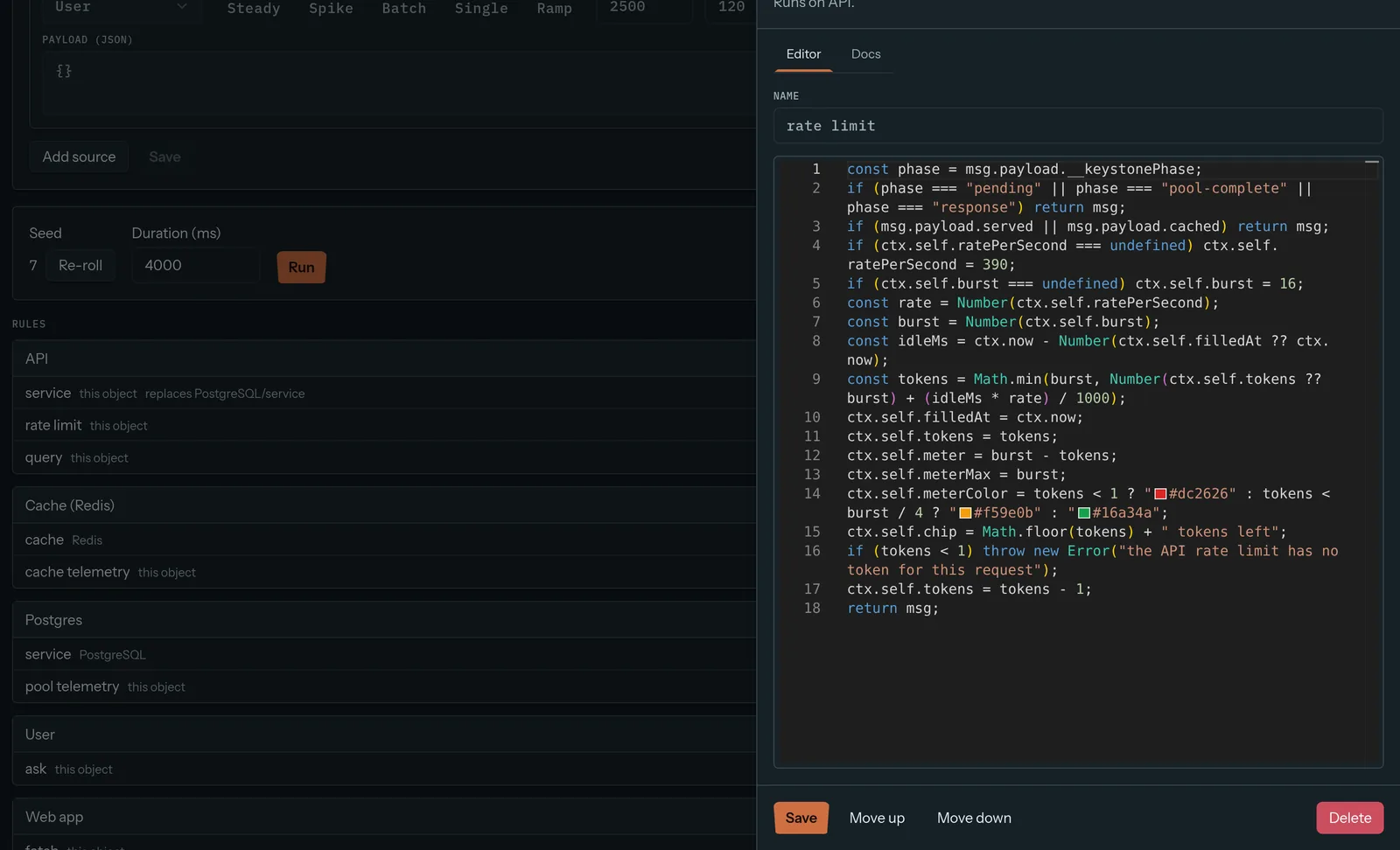
Keystone rule editor showing a JavaScript rate limit rule for the API, next to the rules on each object
The rate limit on the API, in 18 lines. Postgres gets its rule from the PostgreSQL technology.

Your servers, your sign-in

Your architecture map lists every system, every database and every weak spot you have. Keystone runs on your own infrastructure, behind your own identity provider.

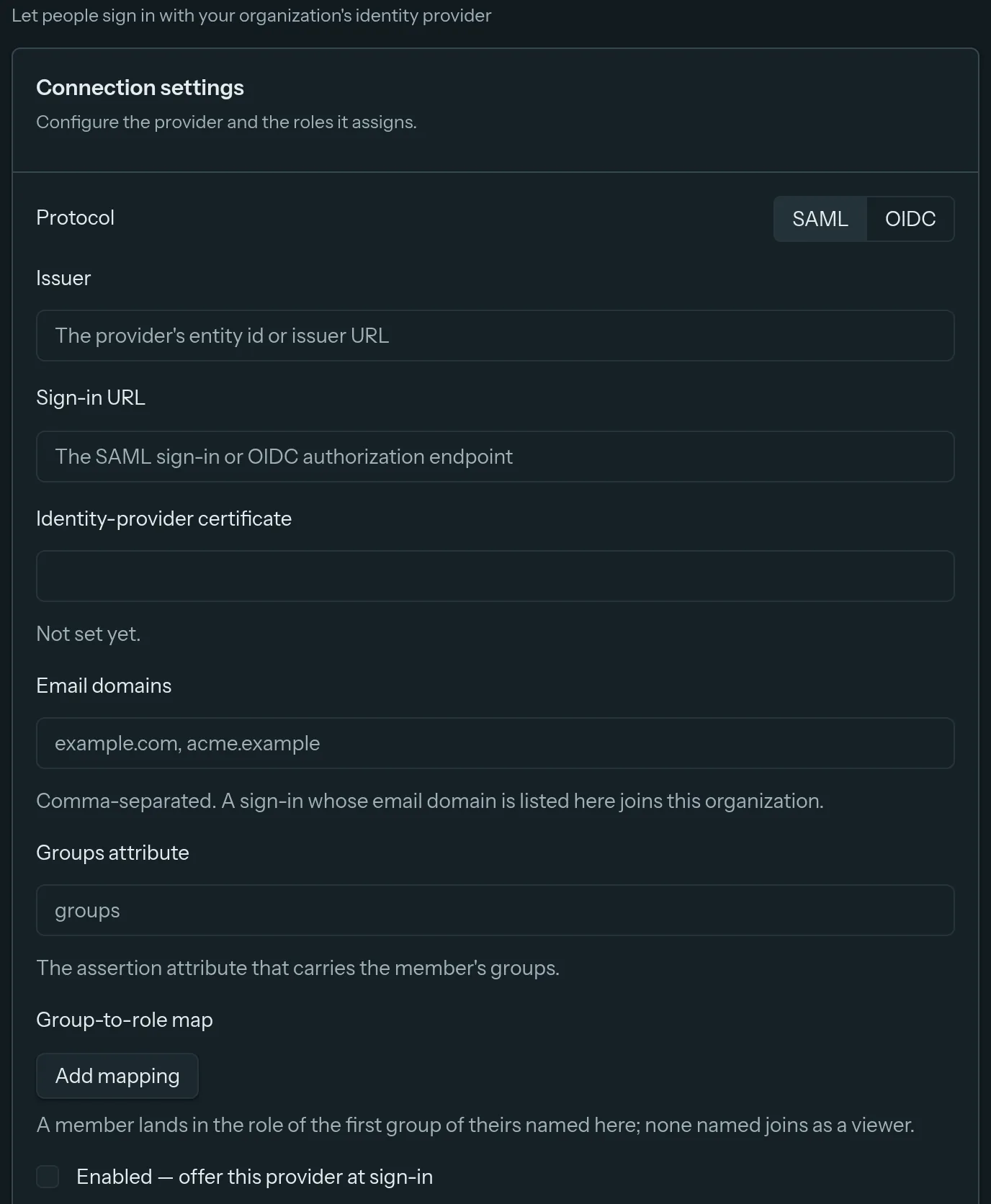
SAML and OIDC come with every install. Map your provider's groups to roles and people land with the right access on their first sign-in. How self-hosting works

Keystone identity provider settings with SAML and OIDC, email domains and a group-to-role map
Organization settings: one identity provider, SAML or OIDC, with groups mapped to roles.

How Keystone compares

Every tool here is good at something. This is about which one fits a shared, living architecture model.

Keystone compared with IcePanel, Structurizr and drawing tools
KeystoneIcePanelStructurizrLucidchart, draw.io, Miro
Shared model under the diagramsYesYesYesNo, shapes only
Visual editor, no code neededYesYesNo, you write a DSLYes
Step-by-step flowsYesYesDynamic diagramsNo
Drafts for proposed changesYesYesVia git branchesNo
Traffic simulationYesNoNoNo
Run it on your own serversYesNo, cloud onlyYesdraw.io only
SSO in every installSAML and OIDCPaid plansDepends on editionVaries by tool and plan

Based on each vendor's public docs as of September 2026. Something out of date? Tell us at support@keystone-app.io and we'll fix it.

Keystone vs IcePanel
Same modelling ideas, on your own servers, plus simulation.
Keystone vs Structurizr
A model everyone can edit, not just people who write DSL.
Keystone vs drawing tools
Why Lucidchart, draw.io and Miro diagrams drift.

Who it's for

Architects
One source of truth, and a place to record why decisions were made.
Platform and SRE teams
Find the bottleneck before the incident does.
Engineering managers
Know who owns what, and review changes before they land.
New hires
Understand the system without booking ten meetings.
Security and compliance
Keep the architecture map inside your own network.

Questions

Is Keystone a C4 model tool?

Yes. Keystone ships with C4-style object types and diagrams, and lets you add your own object types when C4's four levels don't fit. New to C4? Read our plain-English guide.

Can I host Keystone myself?

Yes. Keystone runs on your own servers with Docker and Postgres. Your architecture data never leaves your network. More on self-hosting.

Which features cost extra?

None. Every install gets every feature, including SAML and OIDC single sign-on, the API, webhooks and simulation.

Do non-engineers need to learn a diagram language?

No. Keystone is a visual editor in the browser. Engineers who want automation can use the REST API and YAML or JSON import.

What does the simulation do?

You write small rules for objects or technologies, like rate limits or cache hit ratios, in a few lines of JavaScript. Then you send traffic through the model. Keystone shows where messages pile up or fail, with a step-by-step trace for each one.

Put your whole company on one map.

Tell us about your team and what you'd map first. We'll send you everything you need to run it.

Request access or write to support@keystone-app.io