Keystone Request access

Draw it. Explain it. Change it. Run it.

Keystone covers the whole life of your architecture: one model of every system, the stories that explain it, the changes you propose, and a simulator to test them.

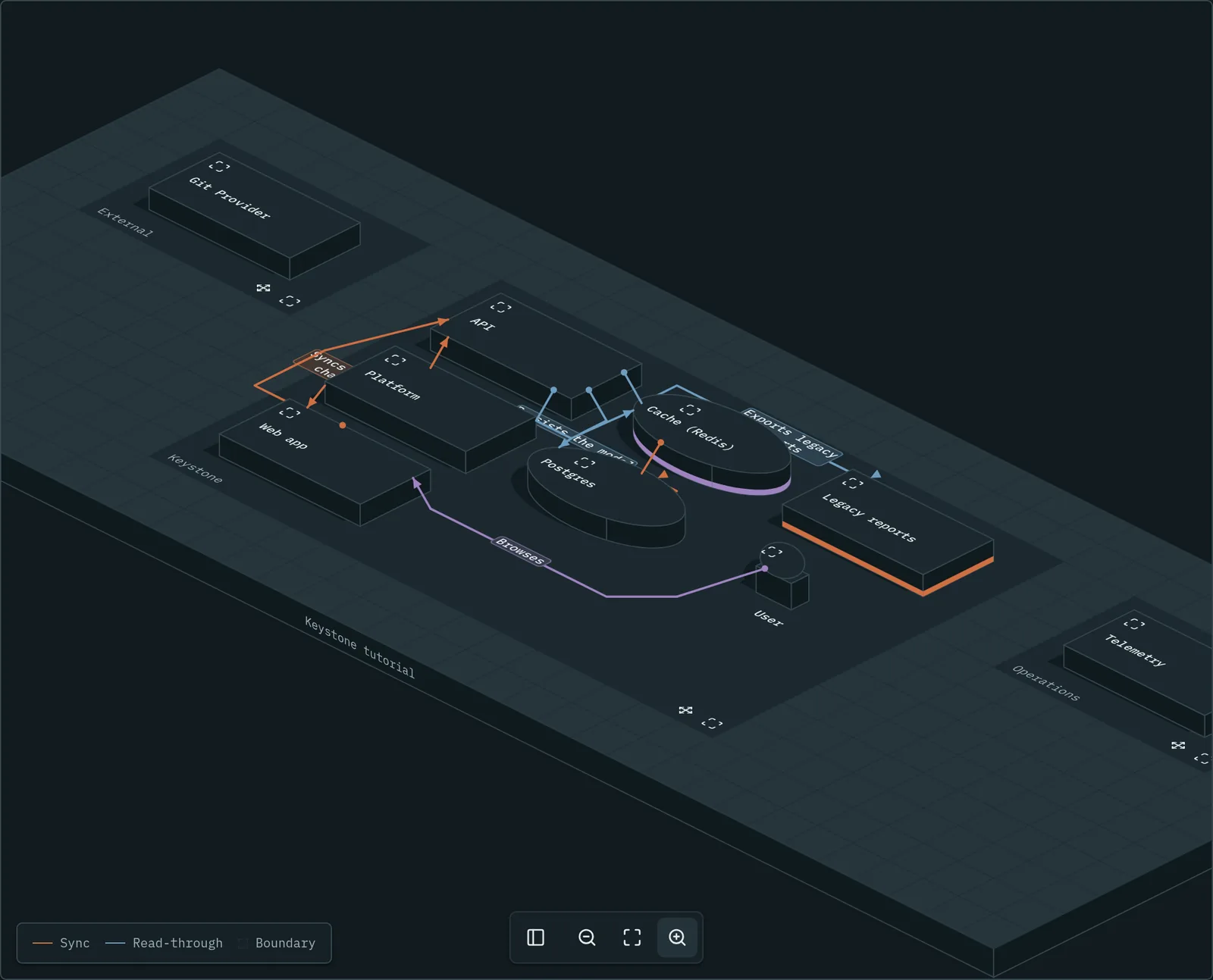
The Keystone Landscape Map: every system as a block on an isometric board, with connections drawn between them
The Landscape Map: the whole landscape on one board, stores as cylinders, boundaries on the floor.

Draw it: one shared model

Keystone stores objects (apps, stores, queues, people) and the connections between them. A diagram is a view onto that model, so the same object can sit on every diagram and never drift.

  • Nest objects as deep as your system goes, and open any one to look inside.
  • Start with the built-in types, then add your own, with a name, icon, colour and shape.
  • Give each object an owning team, tags, technologies and a status: live, future, deprecated or removed.
  • Press Ctrl/Cmd+K to jump to any object, connection, diagram or flow.
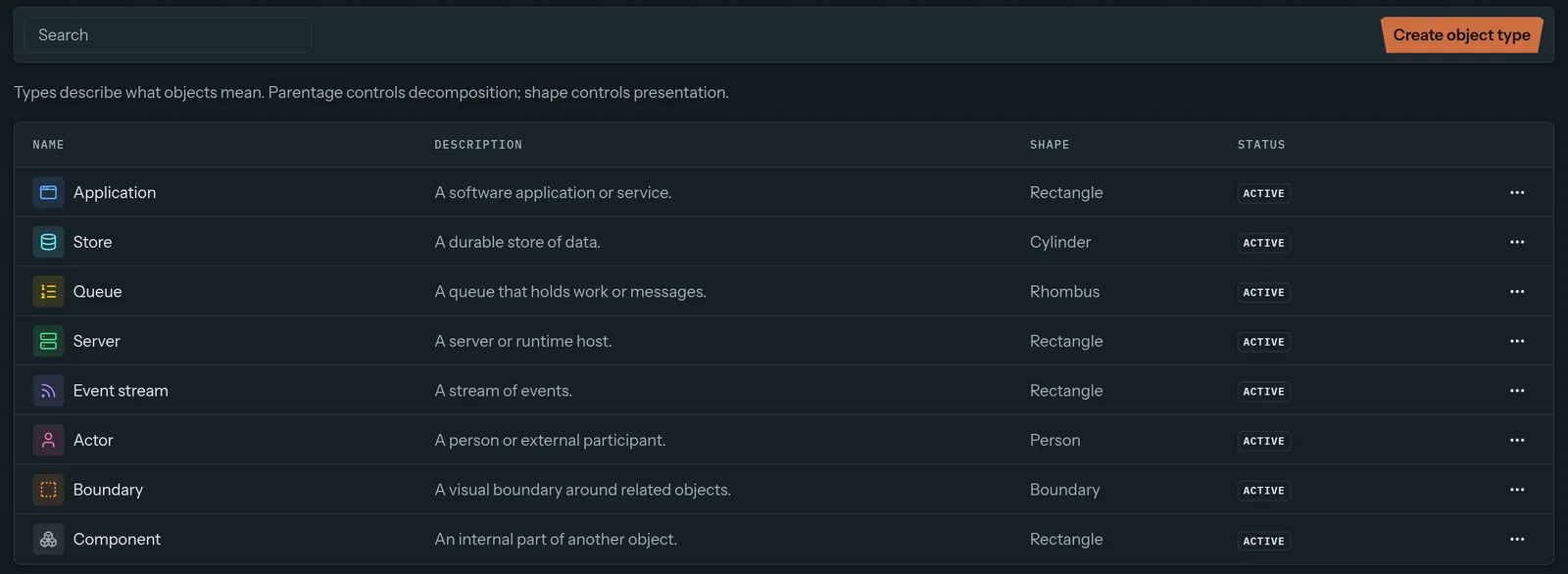
Keystone object types: application, store, queue, server, event stream, actor, boundary and component, each with an icon and shape
Object types are your organization's vocabulary. Rename them, restyle them, add your own.

Explain it: flows that play back

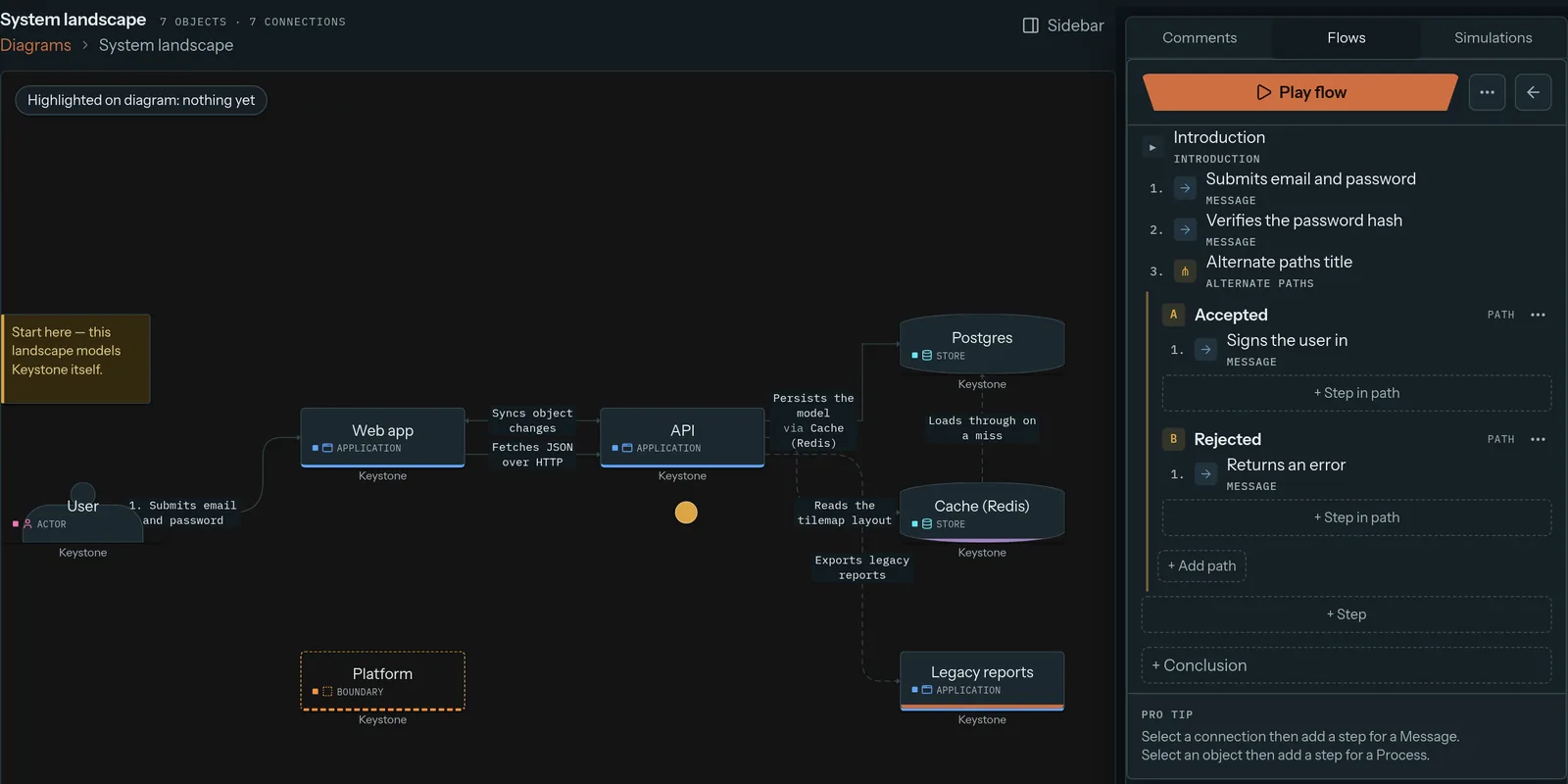
A flow walks one request through the system, step by step. Branch it into alternate and parallel paths for the "what if it fails?" cases, link subflows for the details, then play it back like a slideshow.

Flows use the same objects as your diagrams. Export one as Mermaid, code or plain text for your docs.

Keystone flow editor for Sign in, with Accepted and Rejected paths beside the diagram
The Sign in flow, with an Accepted path and a Rejected path.

Explain why: comments and decisions

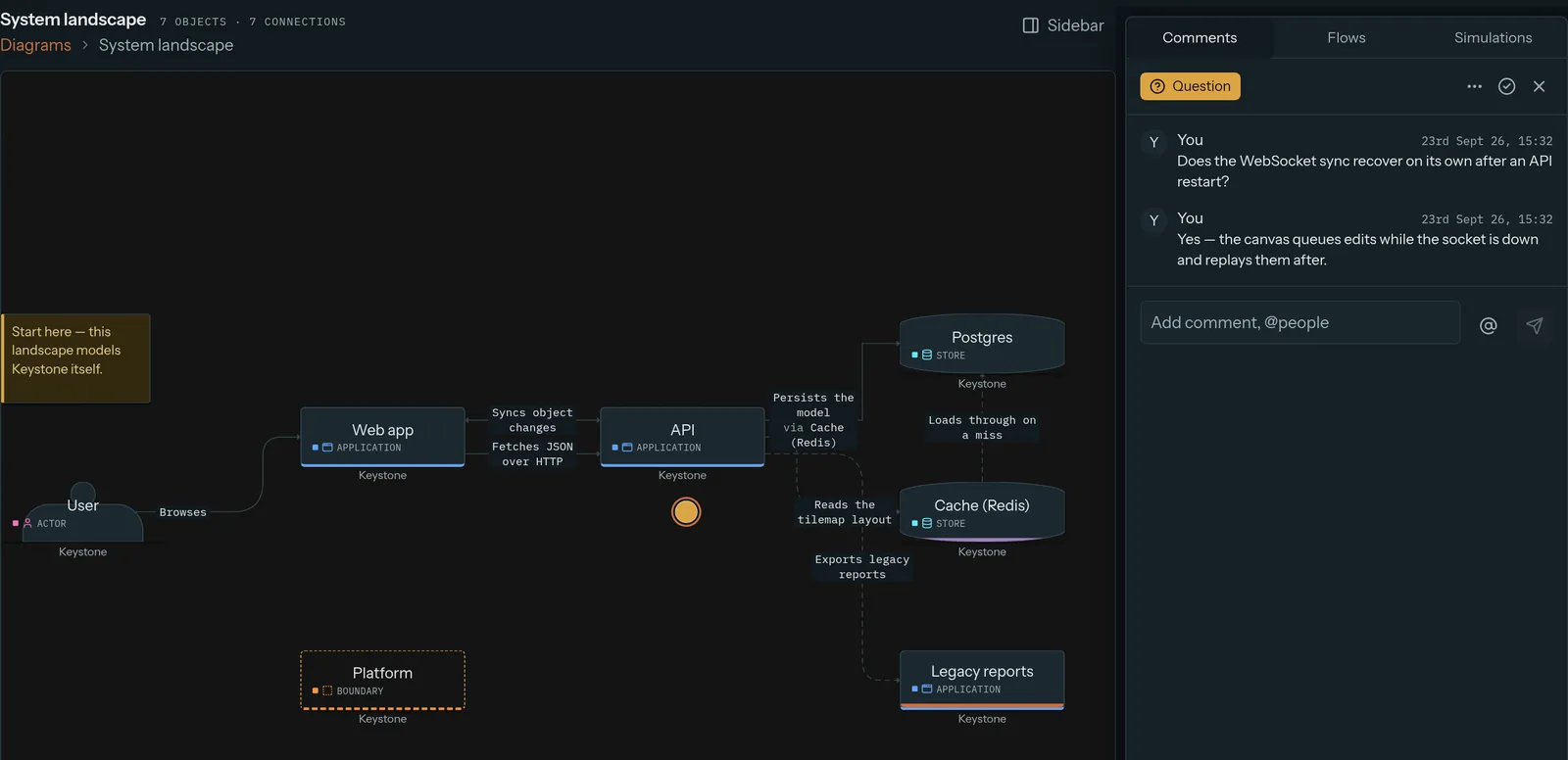
Comments pin to the object, connection or spot on the canvas they're about, with threads and @-mentions. Mark one as a question, an idea or an inaccuracy, and resolve it when it's handled.

Decision records keep the why, with a status timeline and links to diagrams, drafts and other decisions. Approved ones lock.

A question comment thread open beside the Keystone diagram canvas, with a reply
A question asked on the diagram, answered in the thread next to it.

Change it: drafts and snapshots

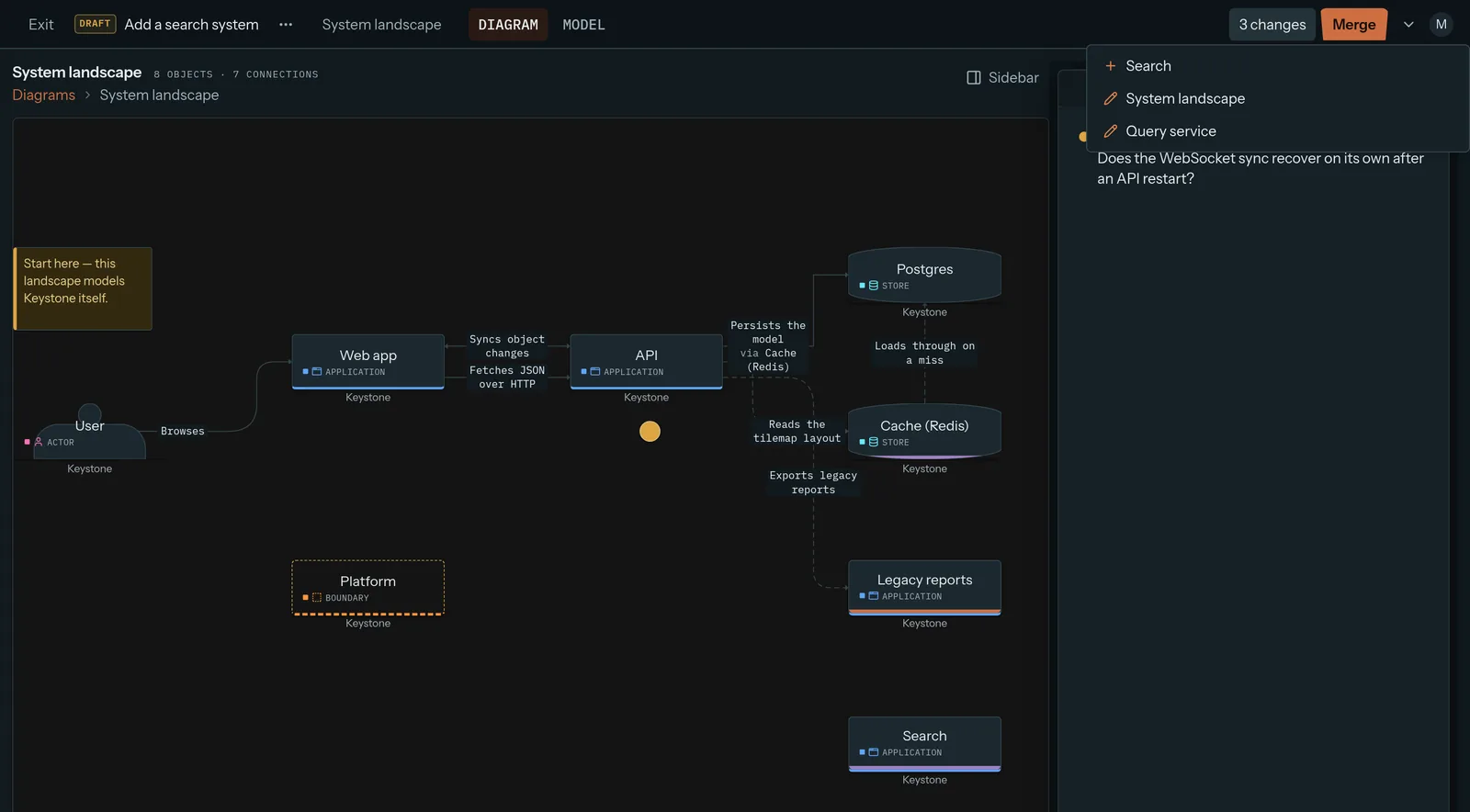
Propose a change as a draft. It opens on the real map, with a list of every change and who proposed it. When it merges, Keystone checks for conflicts with anything that changed in the meantime.

Snapshots freeze the whole landscape, by hand or on a schedule. Browse any one, or roll back to it.

A Keystone draft named Add a search system, listing 3 changes next to a Merge button
A draft that adds a Search service: 3 changes, ready to merge.

Run it: simulation

This is the part other architecture tools don't have. Put small rules on objects, a few lines of JavaScript each, then send a steady stream, a spike or a ramp of traffic through the model.

  • Put a rule on a technology, like Postgres, and every Postgres gets it.
  • Nodes change colour and fill their meters as the run plays.
  • Every dropped message has a trace: each rule it met, in order.
  • Same seed, same run. Everyone replays the same failure.

Keystone sends traffic through your model and shows where it breaks.

Take it anywhere

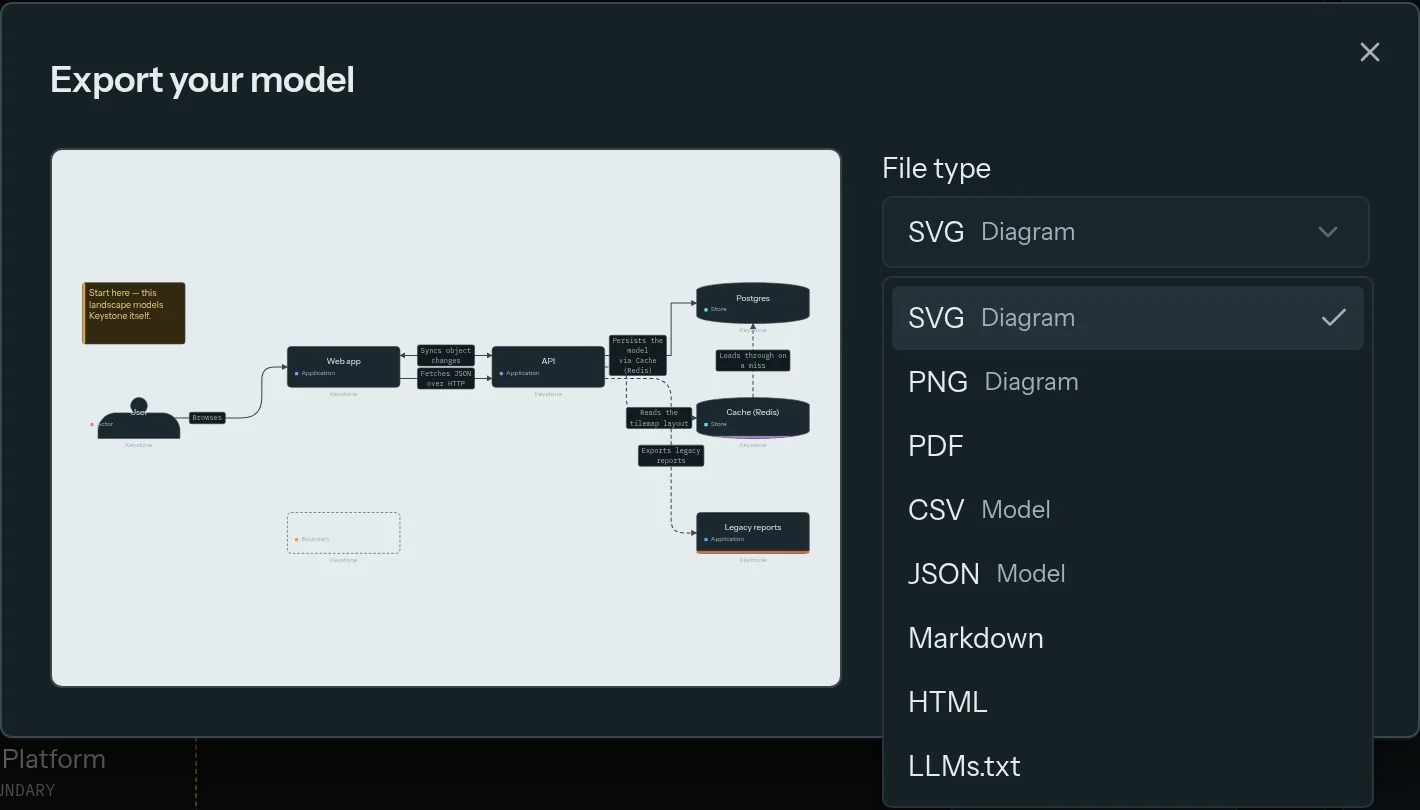
Export a diagram as PNG, SVG or PDF for a slide. Export the whole model as JSON or CSV for a script, or as Markdown and HTML for a wiki.

Or export it as llms.txt, so an AI assistant reads your real architecture instead of guessing.

The Keystone export dialog listing SVG, PNG, PDF, CSV, JSON, Markdown, HTML and LLMs.txt
Eight ways out, from the same dialog.

Built to live inside your company

Single sign-on
SAML and OIDC, with IdP groups mapped to roles. Passwords as a fallback.
Roles and access
Admin, editor and viewer, access per landscape, and objects only their team can edit.
API and webhooks
A REST API with scoped keys, and signed webhooks when the model changes.
Import
Bring a model in as YAML or JSON, from a file or a script.
Share links
Read-only links with an optional password. Viewers can even run the simulations.
Audit log
Who changed what, person or API key. Export it as CSV.

How self-hosting works

See it on your own system.

Every feature on this page ships in every install. Tell us about your team and we'll get you set up.

Request access or write to support@keystone-app.io