Keystone Request access

The C4 model, without the DSL.

Structurizr proved that C4 works best as a model. Keystone keeps the model and swaps the text file for a visual editor, so the people who know the system can fix it themselves.

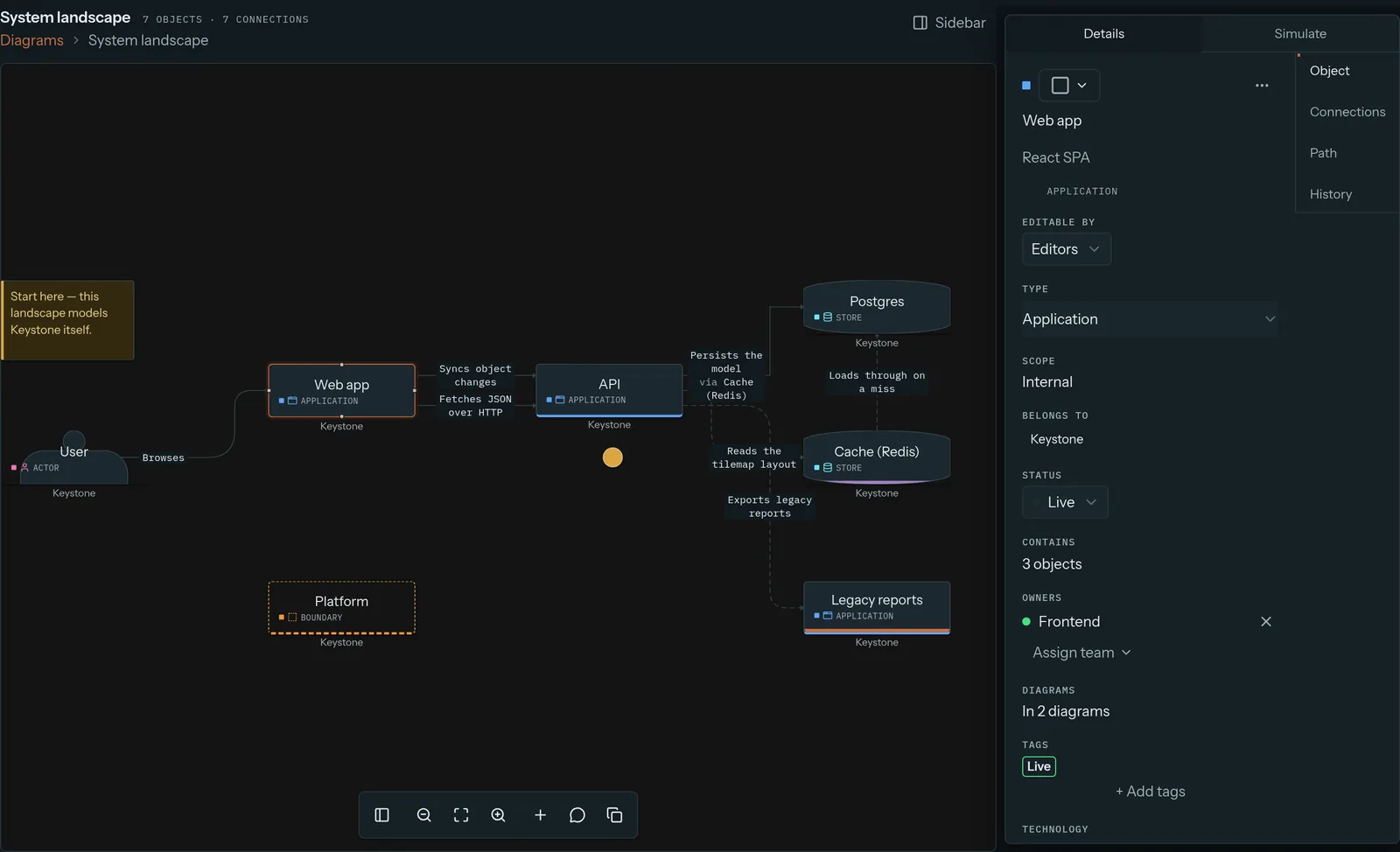
The Keystone diagram editor with the Web app object selected and its details open: type, owner, status and the diagrams it appears on
Click Web app, change it. It appears on 2 diagrams, and both update.

Where we agree

Structurizr and Keystone share the big idea: model once, draw many views. Each element exists once, and every diagram that shows it stays in sync. Both can run on your own servers.

The difference is who can hold the pen.

workspace {
  model {
    customer = person "Customer"
    store = softwareSystem "Online store" {
      api = container "API"
      db  = container "Orders DB"
    }
    api -> db "Reads and writes"
  }
}
Automation still works

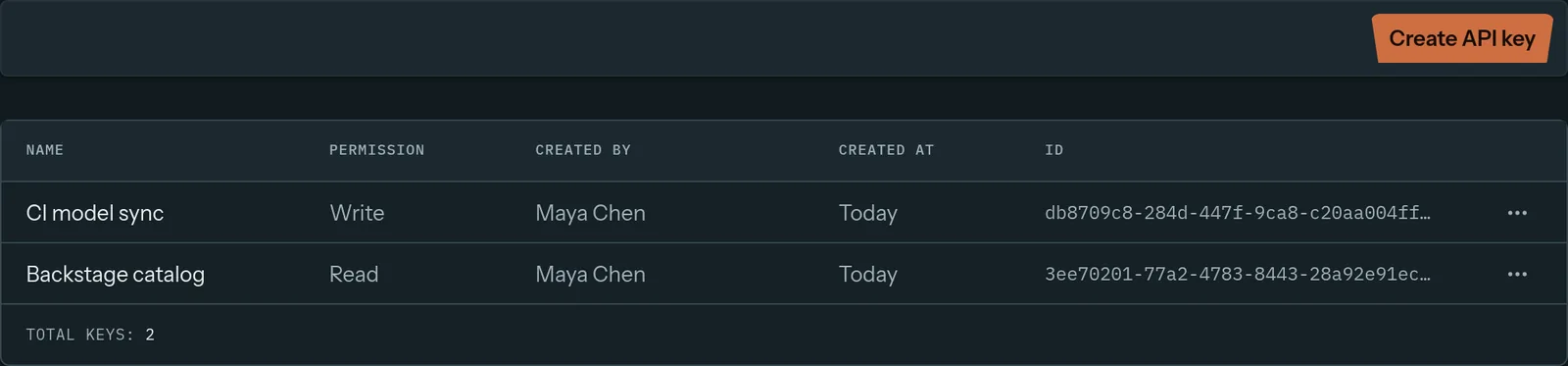
Liking a visual editor doesn't mean giving up scripts. Keystone has a REST API with scoped keys, YAML and JSON import, JSON export, and signed webhooks when the model changes.

Keep a CI job that syncs services into the model, or feed a service catalog from it.

Keystone API keys: CI model sync with write access and Backstage catalog with read access
Two scoped keys: one for CI to write, one for a catalog to read.

Where we differ

Keystone compared with Structurizr
KeystoneStructurizr
How you editVisual editor in the browserWrite DSL, then render
Who can contributeAnyone with a loginMostly engineers comfortable with the DSL and git
Reviewing changesDrafts with a change list, merge and conflict checksPull requests on the DSL file
Request walkthroughsFlows with playback and alternate pathsDynamic diagrams
Comments and decisionsComments pinned to objects; decision records with status and approval lockADRs as documentation files
Traffic simulationBuilt inNot offered
Model lives in gitVia YAML/JSON import, JSON export and the APINatively

Based on Structurizr's public docs as of September 2026. Spot something out of date? Email support@keystone-app.io.

Why a visual editor matters

A model is only as good as the people keeping it up to date. When updating it means editing a text file and opening a pull request, most of the company just doesn't. The product manager who spots a wrong arrow and the SRE who knows a queue was replaced both end up posting in chat instead.

In Keystone they click the object and fix it, or flag it as an inaccuracy right there.

Which should you pick?

Structurizr, if…

  • only engineers maintain your architecture docs, and they want them as code next to the source;
  • git history is how you want to review every change.

Keystone, if…

  • architects, managers, SREs and new hires should all be able to read, comment on and fix the map;
  • you want flows, drafts and decision records in one place;
  • you want to test designs with simulation. Automation still works through the REST API, YAML and JSON import, and signed webhooks.

Give your whole team the pen.

See what happens when everyone can keep the model right.

Request access or write to support@keystone-app.io